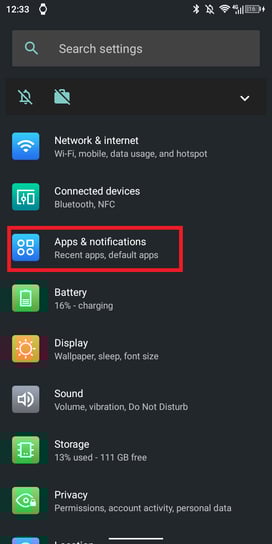
1. System settings -> Apps & Notifications.
2. Choose 5Keys Engage -> Advanced settings.
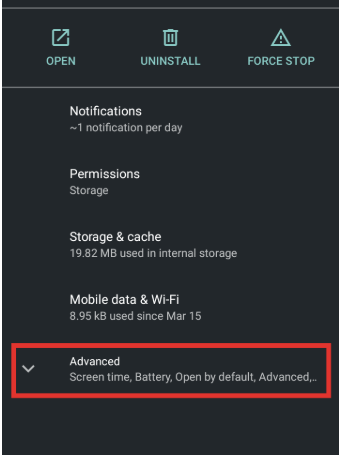
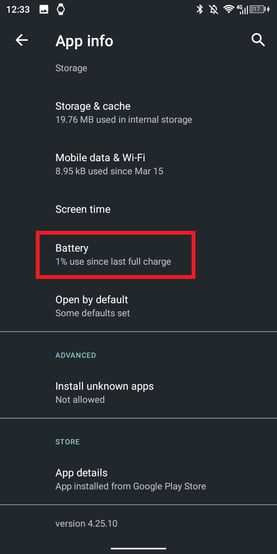
3. Battery.
4. Battery optimization.
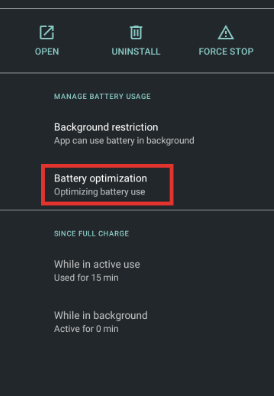
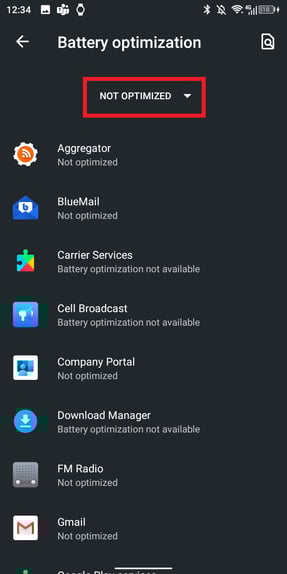
5. Expand the list to All applications.
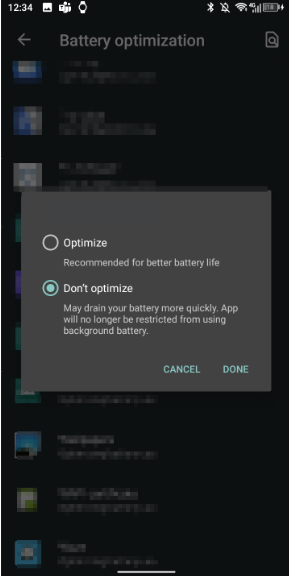
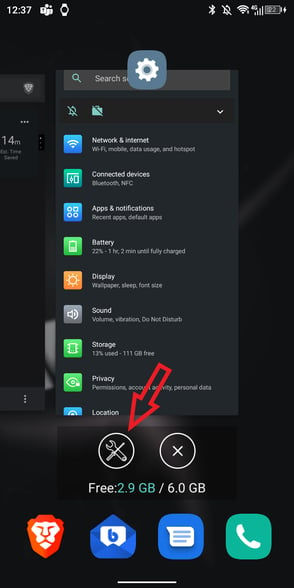
Lock in Recent apps
1. Go to Overview (Recent apps menu)-> tap the Screwdriver and Wrench icon.
2. Lock 5Keys Engage in the White List.
DuraSpeed
You can either whitelist Your app from DuraSpeed or disable it completely.
1. Settings -> Smart Assist.
2. DuraSpeed.
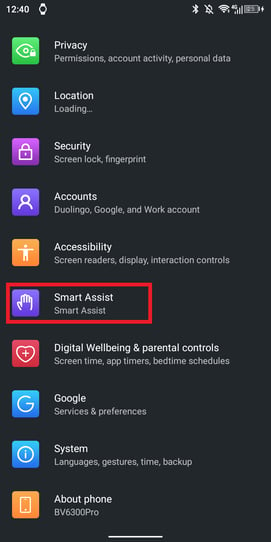
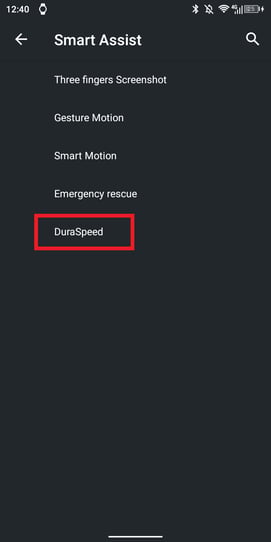
1. Enable Your app OR 2. Disable DuraSpeed for all apps.
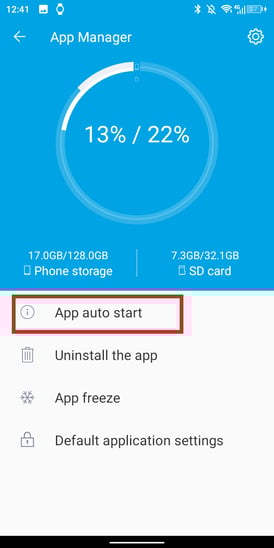
Autostart
1. Run application Basic Service.
2. App Manager.
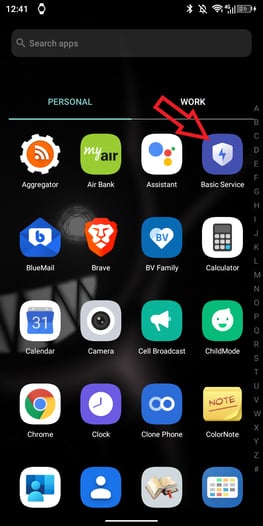
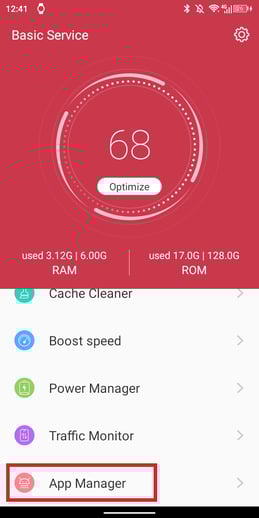
3. App auto start.>Enable 5Keys Engage
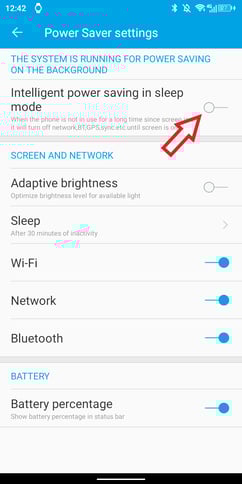
Power saver
1. Run application Basic Service.
2. Settings (top right corner).
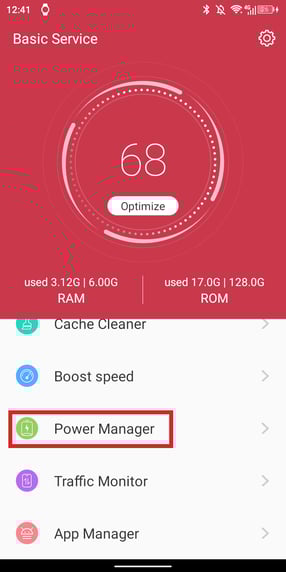
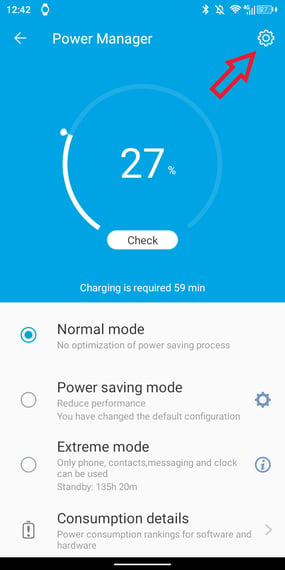
3. Disable Intelligent power saving in sleep mode.