Use the below links to navigate through the sections of the article:
What can I do with my Coins?
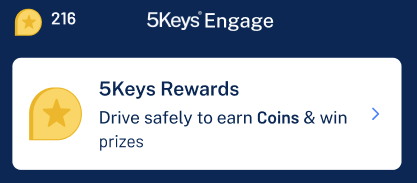
Press your Coin total at the top left of the screen, or use the rewards card on the Home page to navigate to the rewards section of the app and spend your Coins.
Note that you will need a good data connection for the best experience with rewards.
Rewards - what's involved?
Here you will have two options to spend your Coins:
- Enter them into a raffle to win prizes, or
- Donate them in exchange for a contribution to a charitable donation
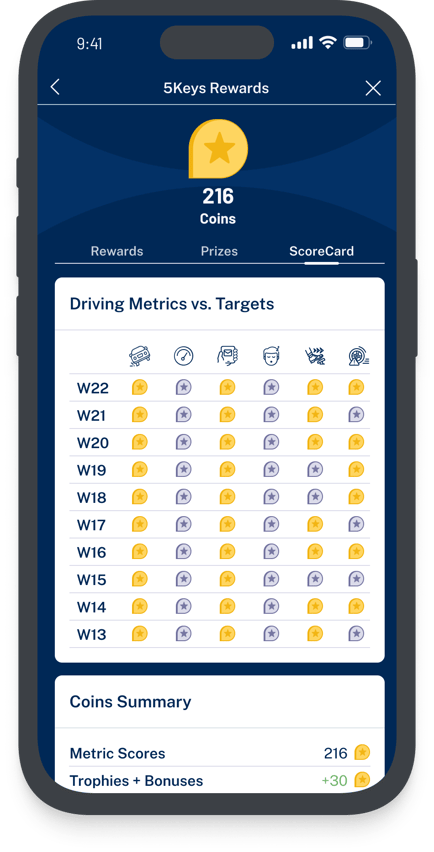
The Coins you have earned and have yet to spend are clearly shown at the top of the screen, or you can navigate to the ScoreCard section to see your earnings and balance.
You can navigate to the raffle entry and charity donation pages through the cards on the main rewards page.
To exit rewards, simply use the back button in the top left of the screen.
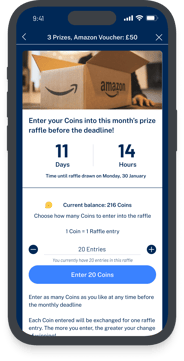
The raffle gives you the chance to exchange your Coins for raffle entries. Raffle winners will receive prizes like Amazon vouchers or GCodes to spend with our Global Rewards Partner.
The raffle runs on a regular cycle, usually monthly, and the date of the next draw will be displayed on the raffle page, along with the remaining time until the raffle is drawn, the raffle prize details, and the number of entries that you have in the current raffle.
Each Coin that you enter into a raffle counts as one raffle entry. You are able to exchange all or part of your Coin balance for entries.
On the date of the raffle, if a Coin that you entered is picked as a winner then you will receive a prize. Therefore, the more you enter the greater your chance to win.
You can enter the raffle at any time by selecting "Enter Raffle" or add additional entries by selecting "Add Entries".
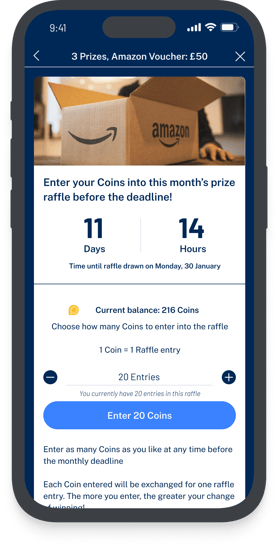
To choose the amount to enter by either:
-
tapping the + or - buttons to add one entry at a time
-
Holding the + or - buttons to add entries faster
-
Selecting the entry value and typing in a value using the keyboard
Your remaining Coins that are available to spend are shown to give you an idea of your chances to win and how many more Coins you are able to enter.
Entries are confirmed using "Get Raffle Entries" at the bottom of the screen. You will then be asked to confirm your entry.
We aim to notify our winners via email within 48 hrs of the raffle close date.
Donating your Coins to Charity
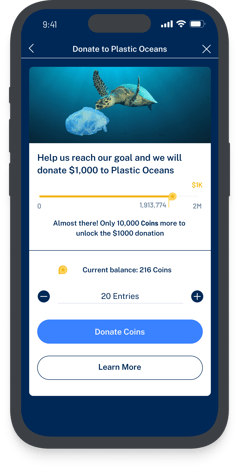
The charity page allows you and other drivers to donate your Coins to a good cause. You can learn more about the charity by selecting "Learn more".
The charity page will also tell you the amount that will be donated, and how many Coins you and other 5Keys Engage drivers need to donate in order to trigger the donation.
Select "Donate" to make your first donation or "Donate more" if you want to add further donations. You will then be taken to the donation screen that works in the same way as the raffle entry screen detailed above.
What is your Coin ScoreCard
Your Coin ScoreCard provides a breakdown of:
- how many Coins you have earned by hitting or beating your weekly Five metric targets,
- how many Coins you have earned for completing Trophies or through bonuses, and
- how many Coins you have spent
You will only be able to see the last 10 weeks of Five metric scores here